 |
|
|
|
|
| Related Sites |
|
|
|

| LIVE "SNAPSHOTS" OF MUNI SUBWAY | |
|
| |
 |
||
|
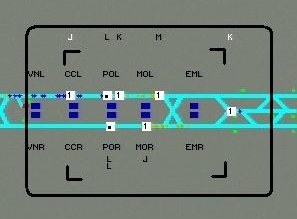
Click the camera above to open a current snapshot of the Muni Subway in its own window. Then periodically update that snapshot window by clicking "Update Snapshot" at the bottom of it, or press F5. This large window can be closed at any time.
|
 |
|
| ||||||||||||||||||||||||||||||
|
"SNAPSHOT" HELP This website was created as a tool for Muni's operating and maintenance staff to remotely monitor the performance of the Muni Metro subway -- as an aid in assessing and correcting problems. Although not originally intended for the public, once the URL became known, Muni decided to continue to allow public access to the site. The Image Explanation below was created to help the public understand the symbols and graphics found in the snapshot. In addition, answers to frequently-asked questions can be found further down this page, in the Image FAQ.
IMAGE EXPLANATION The "snapshot" image represents the Muni Metro Subway. It is electronically captured from the screen of one of the Train Control computers that is used to control the trains in the subway. THE TRACKS The tracks that the trains travel on are represented by two light blue lines going from West Portal Station on the left, to the Ferry Portal entrance (east of Embarcadero Station) on the right. The lower line is the Inbound track and the upper line is the Outbound track. The diagonal segments of light blue track rising above the horizontal track in the middle of the image are where N and J trains enter and leave the subway at Church and Duboce Streets. The tracks to the right of Embarcadero Station are used to turn trains around and to route trains into or out of the subway from along the Embarcadero. THE STATIONS Each station has two "platforms" which appear as dark-blue rectangles. You can find them either between the two tracks (making up one "center platform") or outside the two tracks (making up two "side platforms"). If a platform has been closed, e.g. if it is being bypassed due to an emergency, it will be colored dark red. Each platform is identified by a three letter abbreviation outside the track, with the eastern-most platforms being the two at Embarcadero Station (EML and EMR). See the table below. Tip: the third letter, R or L, in the abbreviation tells you if the platform is an Inbound (Right) or Outbound (Left) platform.
THE TRAINS Trains are represented by small orange icons. A train's line (J, K, L, M, N or T) is shown by white letters that stay lined-up vertically with the train. On the inbound track, these letters are shown below the train. On the outbound track, these letters are shown above the train. Multiple-car trains have multiple letters such as NN or LL.
|
|
|
|
FREQUENTLY ASKED QUESTIONS Why isn't the subway image more passenger-friendly? The subway image that you see on your monitor has been electronically captured from the screen of one of the computers Muni uses to control subway trains. The symbols and layout of this screen were designed to be used solely by expert Train Control operators, not for giving information to the general public. For dynamic train information specifically designed for use by the public, please visit Muni's NextBus website. Does this image show what is happening in the subway at the time I download it? Yes. A new subway image from the Central Train Control operator's screen is captured every 5 seconds. This means that the image is at most 5 seconds old (plus the time it takes for your computer to download it). Each time you click "Update Snapshot", the most recent subway image is downloaded to replace your current one. The black timestamp in the lower right corner tells you when the image you are viewing was captured. Why are some track sections dark red instead of the normal light blue? Tracks are shown dark red when they have been "closed" by a Central Control Operator (CCO) or by the Train Control system. Computer-controlled trains cannot move in a closed track section. The short track sections that are seen above and below the main track between Castro and Forest Hill stations are dark red because they are kept “closed” during normal operation. It is common for tracks to be closed for short periods by a CCO to allow personnel to walk safely through the track or to force the Train Control system to choose an alternative route for a train. What do the small triangles along the track in front of a train mean? The little triangles along the track show the route that the train will be taking as it moves down the track. Can the size of the image be changed? No. It is permanently 1860 by 800 pixels and is based on the resolution of the Central Train Control operator's screen, which is permanently fixed at 1920 by 1080 pixels. The higher the user's screen resolution, the smaller the image will appear on it. It will not lose any sharpness, however.
Copyright © 2016 San Francisco Municipal Railway.
|